
The Sudden Breakdown: When Your AC Blows Warm Air During a Heatwave
Your vents are suddenly pushing out room-temperature air right when you need cooling the most, which is exactly why relying on local service expertise and area tips can save your system from further damage. At Comfort Central Inc., our team frequently responds to these exact panicked calls during the first major heatwave of the season. A sudden loss of cooling is incredibly stressful when hot and humid summer conditions make a breakdown feel like an immediate emergency. The indoor temperature climbs rapidly, the air feels heavy with moisture, and panic often sets in. However, making rushed, uninformed decisions about your air conditioner can lead to unnecessary expenses or even premature equipment replacement.
To explore comprehensive solutions for your home's long-term comfort, learning more about modern air conditioning systems is a smart next step.
The key to handling a sudden loss of cold air is understanding the difference between a minor airflow restriction and a catastrophic mechanical failure. In our years serving the local area, we've noticed many homeowners assume the worst when their vents blow warm air, immediately bracing for the cost of a brand-new unit. In reality, modern cooling systems are complex networks of electrical components, sensors, and pressurized gases. A single tripped sensor or a suffocated blower motor can mimic the symptoms of a dead compressor. By staying calm and following an objective diagnostic approach, you can safely rule out the simple fixes before dispatching an emergency technician to your home.
Safe Homeowner Troubleshooting: What to Check First
Before you assume your system has suffered a fatal breakdown during this first major heatwave, there are several safe, basic checks you can perform. These steps target common airflow and power issues that frequently cause an air conditioner to blow warm air.
- Check the thermostat settings: Start at the control panel. Verify that the system is explicitly set to "cool" rather than "heat" or "off." Next, check the fan setting. If the fan is set to "on" instead of "auto," the blower will run continuously, even when the outdoor compressor cycles off. This means the system will blow unconditioned, warm air through your vents between cooling cycles. Finally, replace the thermostat batteries if the display is blank or fading.
- Inspect the indoor air filter: A severely clogged air filter is one of the most common culprits for warm air. When the filter is packed with dust and debris, it chokes off the airflow to the indoor evaporator coil. Without enough warm household air blowing over the coil to absorb the heat, the temperature drops too low, causing the condensation on the coil to freeze into a block of ice. Once the coil freezes, no cold air can make it into your ductwork.
- Verify the circuit breakers: Your air conditioner uses two separate electrical breakers—one for the indoor air handler and one for the outdoor condenser. If the outdoor unit's breaker trips, the indoor fan will continue to blow air, but that air will not be cooled. Check your electrical panel. If a breaker has tripped, you may reset it exactly once. If it trips again immediately, stop. This indicates a serious electrical short that requires a professional.
- Ensure all vents and registers are open: Walk through your home and check every supply vent and return grille. Closing vents in unused rooms does not save energy; it actually increases the static pressure inside your ductwork. High static pressure forces the blower motor to work harder and reduces overall system airflow, which can lead to the same freezing issues as a dirty filter. Make sure no rugs, curtains, or heavy furniture are blocking the grilles.
Staying proactive with your equipment is the best defense against these sudden failures. Scheduling routine AC maintenance before the summer heat arrives ensures that filters, electrical connections, and airflow dynamics are all optimized.

Warning Signs of a Critical System Failure
While checking the filter and thermostat is perfectly safe, certain symptoms indicate a critical mechanical or chemical failure within the system. When these warning signs appear, safe homeowner troubleshooting ends. Continuing to run the system under these conditions will likely cause irreversible damage to the compressor.
Frozen Evaporator Coils or Refrigerant Lines: If you check your indoor unit and see ice building up on the copper lines or the coil itself, turn the system off immediately. Ice forms when the system cannot absorb enough heat from your home, either due to severe airflow restriction or low refrigerant levels. Running a system with a frozen coil forces liquid refrigerant back into the compressor, a condition known as "slugging," which can destroy the compressor valves.
Hissing or Bubbling Sounds: Air conditioners do not consume refrigerant like a car consumes gas. The refrigerant operates in a closed, pressurized loop. If the system is low on refrigerant, it means there is a physical leak in the copper tubing or the coils. Our technicians at Comfort Central Inc. often find that a distinct hissing sound from the outdoor unit or a bubbling noise near the indoor unit points to a pressurized leak. Handling refrigerant requires specialized training and EPA Section 608 certification; a homeowner cannot safely patch a leak or recharge the system.
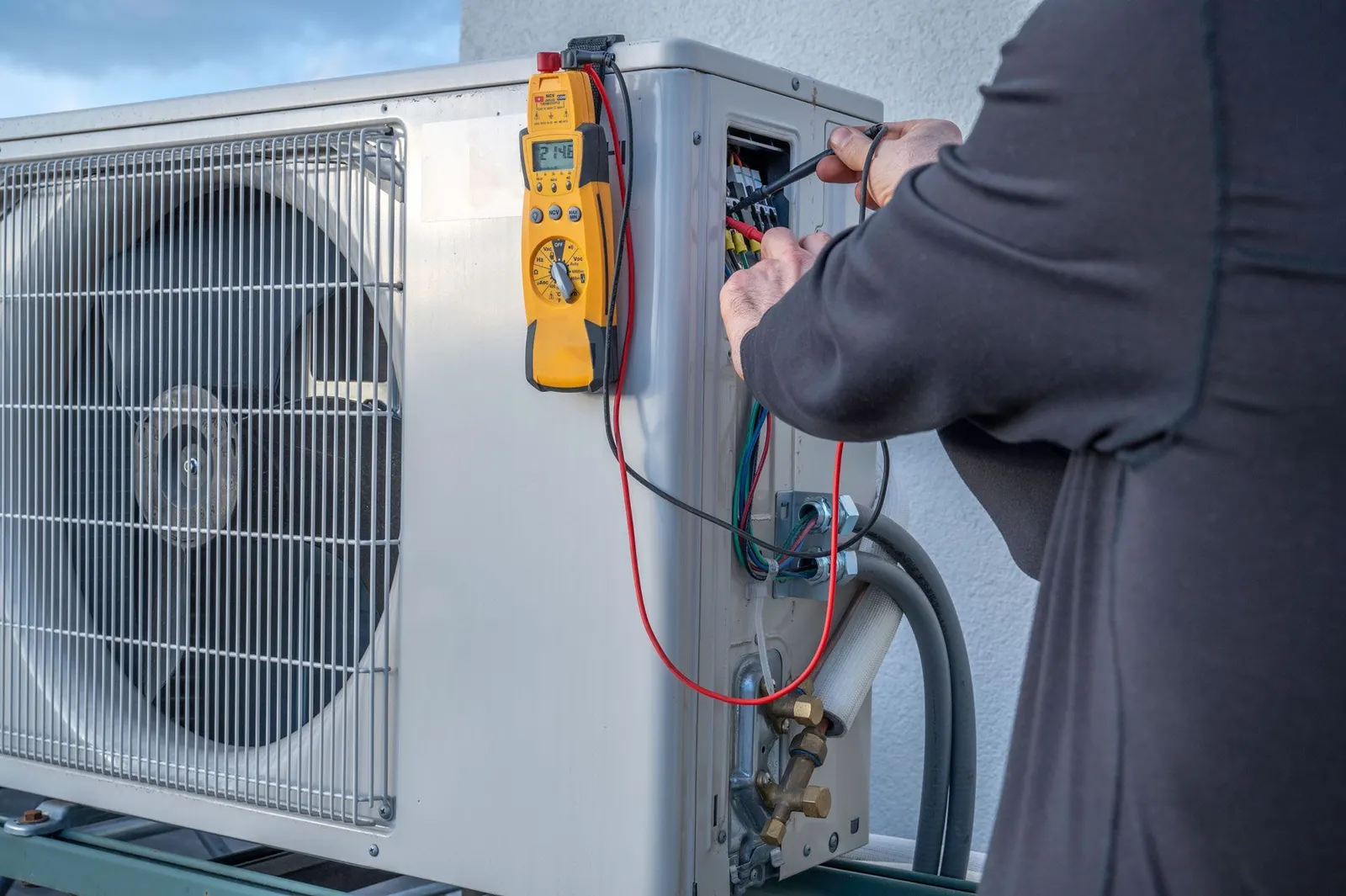
Repeated Breaker Tripping: As mentioned earlier, a breaker that trips repeatedly is doing its job—protecting your home from an electrical fire. This symptom often means the compressor is failing and drawing too many amps to start up, or the capacitor has completely blown. Repeatedly forcing the breaker back on will overheat the wiring and risk severe property damage.
Grinding or Screeching Mechanical Noises: A sudden grinding noise from the outdoor condenser usually means the fan motor bearings have disintegrated. A high-pitched screeching sound can indicate dangerous pressure building up inside the compressor. When these heavy mechanical failures occur, reaching out for professional AC repair services is the only safe and effective way to resolve the problem.
The Honest Repair vs. Replace Decision Point
When a professional technician diagnoses a severe failure, you will face a critical decision point: do you pay for a major repair, or is it time to invest in a completely new system? Making this decision during a heatwave can feel overwhelming, but relying on objective facts rather than high-pressure sales tactics will protect your wallet in the long run.
Industry Standard Lifespans and Efficiency
According to the U.S. Department of Energy, the standard lifespan for a central air conditioning unit is typically 10 to 15 years. Once a system crosses the decade mark, major components like the compressor, evaporator coil, and blower motor become highly susceptible to wear and tear. Furthermore, older systems use outdated refrigerant types and operate at much lower SEER (Seasonal Energy Efficiency Ratio) ratings than modern equipment.
A core part of our family values and honest approach at Comfort Central Inc. involves advising homeowners to look at the total cost of ownership. Sinking a substantial sum into a 12-year-old system might restore cooling today, but it leaves you with an inefficient, aging machine that will likely break down again next summer.
The 5,000 Rule of Thumb
Many industry experts recommend using the "5,000 Rule" to remove emotion from the decision. Multiply the age of your equipment by the estimated cost of the repair. If the resulting number exceeds 5,000, replacement is generally the better financial choice. For example, if the estimated repair cost on a 10-year-old system pushes that calculation over the 5,000 mark, it suggests that the funds are better spent on a new, highly efficient unit.
| Factor | Lean Toward Repair | Lean Toward Replacement |
|---|---|---|
| System Age | Under 10 years old | Over 10-15 years old |
| Repair Cost | Less than 30% of a new unit | More than 50% of a new unit |
| Breakdown Frequency | First major issue | Multiple service calls in 2 years |
| Energy Bills | Consistent month over month | Steadily rising despite maintenance |
If the data points toward a new system, taking the time to research your options is vital. You can find comprehensive resources that cover evaluating your AC installation requirements and replacement options to ensure you make a confident, informed choice for your home.
Why Proper Sizing Matters for Emergency Replacements
When your system fails during the first major heatwave, a pattern we see often is homeowners rushing to get a new unit installed as quickly as humanly possible. However, rushing an installation frequently leads to critical technical errors, the most common being improper system sizing. Bigger is never better when it comes to air conditioning.
The Danger of the Oversized Air Conditioner
Air conditioners perform two distinct jobs: they lower the air temperature (sensible cooling) and they remove moisture from the air (latent cooling). In hot and humid climates, removing moisture is just as important as dropping the temperature. To effectively dehumidify a home, an air conditioner must run in long, steady cycles.
If a rushed contractor installs a unit that is too large for your home's square footage, the system will "short-cycle." It will blast the home with cold air, dropping the temperature rapidly and shutting off before it has a chance to draw the humidity out of the indoor air. This results in a cold, clammy, uncomfortable living environment. Furthermore, short-cycling puts immense strain on the compressor, drastically reducing the lifespan of your brand-new equipment and driving up your monthly energy bills.
The Necessity of Manual J Load Calculations
To prevent short-cycling, a professional installation must include a proper Manual J load calculation. This calculation determines the exact cooling capacity your home requires. It is not based simply on square footage. A strict load calculation factors in the number of windows, the quality of your insulation, the direction your home faces, the height of your ceilings, and the local climate data.
Skipping this step during an emergency replacement is a massive red flag. Even if you are desperate for cold air, demanding proper sizing ensures that your new investment operates efficiently and maintains pristine comfort for the next 15 years.
What to Expect from a Transparent Installation Process
Once you have decided to replace the system and the proper load calculations are complete, the actual installation day should follow a strict, professional protocol. A reliable local pro will ensure homeowners feel confident in the system recommendations and the physical installation process without relying on unnecessary upsells or hidden fees.
- Initial home assessment and ductwork inspection: Before any heavy lifting begins, the installation team will inspect the existing ductwork. Putting a highly efficient, modern air conditioner onto leaky, undersized, or damaged ductwork will ruin the system's performance. The team checks for proper static pressure capabilities and ensures the new air handler will fit securely in the existing space.
- Safe removal and refrigerant recovery: The old unit cannot simply be thrown in a dumpster. Technicians must use specialized recovery machines to safely extract the old refrigerant from the lines, adhering strictly to EPA environmental regulations. The old condenser and air handler are then disconnected and hauled away for proper recycling.
- Physical installation and secure connections: The new outdoor condenser is set on a level pad, and the indoor air handler is mounted securely. The technicians braze the copper refrigerant lines, using nitrogen to prevent oxidation inside the pipes. They then connect the high-voltage electrical wiring and the low-voltage communication wires to the thermostat.
- Vacuum pumping and final testing: Before releasing the new refrigerant into the system, the technicians attach a vacuum pump to the lines. This pulls out all atmospheric air and moisture, ensuring the copper lines are completely clean and dry. Finally, the system is charged, the airflow is balanced across the home, and the lead technician walks the homeowner through the new thermostat controls and warranty information.
Frequently Asked Questions About AC Troubleshooting and Installation
Why is my AC running but not cooling?
The most common reason an AC runs without cooling is a lack of airflow or a refrigerant issue. When the system is starved for air due to a clogged filter or blocked vents, the cooling cycle cannot complete properly. Alternatively, if the system has a refrigerant leak, it will continue to circulate air, but that air will not be chilled. Always check your filter and thermostat settings first before calling for a diagnostic.
When should I replace my AC instead of repairing it?
You should consider replacing your AC when the unit is over 10 to 15 years old and faces a major component failure, such as a dead compressor or a leaking evaporator coil. Using the 5,000 rule—multiplying the unit's age by the repair cost—can help clarify the decision. If the total exceeds 5,000, or if you are experiencing frequent breakdowns and rising energy bills, replacement is usually the most cost-effective path.
How long does a new AC installation take?
A standard residential AC installation typically takes a full working day, roughly 6 to 8 hours, for a professional crew to complete. This timeline includes safely recovering the old refrigerant, removing the existing equipment, setting the new units, brazing the lines, and performing rigorous vacuum and pressure testing. Complex jobs requiring ductwork modifications or difficult attic access may extend into a second day.
What happens if my AC is blowing warm air?
If your AC is blowing warm air, it means the heat transfer process has been interrupted. This can happen if the thermostat is set to "fan on" rather than "auto," causing the blower to run between cooling cycles. It can also indicate that the outdoor compressor has failed to start due to a bad capacitor, a tripped breaker, or a total mechanical failure, leaving only the indoor fan running.
Can an oversized AC unit cause high indoor humidity?
Yes, an oversized AC unit is a primary cause of high indoor humidity. Because the unit has too much cooling capacity for the space, it drops the indoor temperature very quickly and shuts off. This short cycle does not give the evaporator coil enough time to extract moisture from the air, leaving the home feeling cold but uncomfortably clammy.
What are the signs of a failing AC compressor?
Signs of a failing compressor include a system that repeatedly trips the electrical circuit breaker, loud grinding or screeching noises from the outdoor unit, and a severe drop in cooling capacity. You may also notice the outdoor unit vibrating excessively or failing to turn on at all even when the indoor fan is running. A failed compressor is a catastrophic issue that usually necessitates replacing the entire outdoor condenser.
Making the Right Call for Your Home Comfort
Navigating a sudden cooling failure during the first major heatwave does not have to end in panic or buyer's remorse. By taking the time to perform safe, basic troubleshooting—like checking the thermostat, inspecting the air filter, and verifying the electrical panel—you can rule out minor airflow issues. If the system exhibits critical warning signs like frozen coils or hissing refrigerant, acknowledging the honest limits of DIY repair is crucial.
Making an informed, pressure-free decision about your HVAC system protects your home and your budget. Whether the data points toward a straightforward repair or a complete replacement, consulting with a local expert ensures your system is evaluated accurately. If your equipment has reached the end of its lifespan, exploring options for professional AC installation guarantees that your new system will be properly sized, expertly installed, and ready to deliver reliable comfort for years to come. Having a clear, technical checklist of what to check yourself and knowing the exact symptoms that require an emergency professional dispatch puts the control back in your hands.